


DealDash - Bid & Save Auctions
4.620.19K Reviews
App Specs
- Version
- 7.13.16
- Updated On
- License
- Free
- Downloads
- 5,000,000+
- Developer
- DealDash.com
- Categories
- Shopping
- Platform
- Android, iOS
Screenshots





 Analysis by AppCompare
My main question with any auction-shopping app is not simply whether the items look appealing; it is whether I can enjoy the process without letting the bidding shape my spending. DealDash is best approached as entertainment with a shopping possibility attached, rather than as a dependable way to get everyday essentials cheaply. That distinction matters because each bid uses a credit, so the cost of taking part deserves attention alongside the listed price of an item.
Before joining an auction, I would decide what I am genuinely willing to spend and treat that amount as a firm limit. I would also check the item details and the rules shown in the app, rather than letting a fast-moving countdown push me into bidding on something I have not thought through. A low displayed price can be tempting, but it does not by itself tell you how much you have spent on bids along the way.
Set a plan before the countdown starts
A practical first visit is a browsing session, not a bidding session. I would look through the auction categories, note which products are actually useful to me, and watch how the bidding flow works before committing credits. That small pause helps separate genuine interest from the urge to chase an auction simply because it is close to ending.
I would also decide in advance whether I am comfortable buying the item outright if I do not win. The Buy It Now option can make a loss feel less final, but it should not turn an item I did not want at its retail price into an impulsive purchase. The useful question is not just “Could I win?” but “Would I still choose this item if the auction ended without a bargain?”
Who is likely to enjoy this style of shopping?
This format suits patient bargain hunters who enjoy following a contest and are comfortable with an uncertain result. It can also appeal to someone who wants to make a particular shopping break more interactive, provided they view the bids as part of the cost of that entertainment. DealDash.com has been behind the service since 2008, and the app has grown into a familiar option for people who like auction-style shopping.
It is less suitable if you need a product by a specific day, are shopping on a strict budget, or dislike spending money without a guaranteed purchase. For those needs, a conventional retailer with a clear price and checkout is easier to plan around. A person who finds countdowns stressful may also prefer ordinary online shopping, where comparing prices does not require competing in real time.
How it compares with ordinary shopping choices
Compared with a standard marketplace, DealDash makes the route to a purchase less predictable: bids are part of the experience, and another participant can change the outcome. That uncertainty is precisely what some users enjoy, but it is also why I would not use it as my main way to shop for necessities. A regular store is usually the more straightforward choice when the goal is to buy a known item at a known price.
Worth Reading Before You Choose

EA SPORTS FC Mobile 26 Is a Bigger Football Game, but It Takes Time

Flipboard Shows What News Apps Must Do Beyond the Feed

Switching to Android Auto Means Rethinking Your Driving Routine

Google Calendar Makes a Crowded Week Easier to Manage

Ludo King Makes the Most of the Minutes Between Plans

Baby Panda World Brings Quick Play to Modern Phones, but Its Game Library Feels Busy
Compared with browsing discounts or waiting for a sale, the app adds active participation rather than simply letting you compare offers. That can make a quiet evening more engaging, but it asks for attention and restraint. I would use it for occasional, considered purchases, not as a background activity while distracted; it is easier to lose track of bids when the auction feels like a game rather than spending.
A realistic way to try it
Imagine I need a household item but do not need it immediately. I could browse the relevant auctions, check whether the product suits my needs, and decide on a maximum amount I am willing to risk on bids before joining. If I reach that limit without winning, I can stop rather than treating the next bid as a way to recover what I have already spent. If I would still be happy to buy the item at the Buy It Now price, I can consider that route calmly; if not, walking away is the sensible outcome.
That approach also answers a common practical concern: does the app make sense for casual use? It can, as long as casual means occasional browsing and a deliberate budget, not bidding without keeping track. I would avoid opening an auction just to pass time if I am not prepared to stop when my limit is reached.
If you are comparing devices, the app is listed for Android and iOS, with a minimum operating-system requirement of version 7.0. Its current version is 7.8.0, and it is free to install. The free download is not the same as cost-free participation: bids are purchased, so I would distinguish the app’s entry price from the money involved in auctions. It is rated for Everyone, which describes its age classification rather than whether the bidding format is right for every household budget.
The scale of its audience is notable: DealDash has more than five million installs, a 4.7 average rating from around 62,000 ratings, and about 20,000 written reviews. Those figures suggest many shoppers have tried it, but popularity cannot tell me whether I personally will enjoy paying for bids or handling uncertain outcomes. I would use the app’s own instructions to understand the mechanics before spending, and keep track of bid purchases as carefully as the final item price.
One useful habit is to compare the full route to ownership, not just the auction’s current price. Consider the bid credits you have used, the amount you might pay to win, and whether the Buy It Now option makes sense for the exact item. This simple check reduces the chance of treating past bids as a reason to keep going. Money already spent cannot make the next bid a better decision.
Another trade-off is attention. Auctions can reward watching the timing and choosing when to participate, but that means the experience may be a poor fit if you cannot check in or prefer shopping that takes only a minute. I would not assume that a quick glance is enough to predict an outcome; the other bidders determine how the auction develops. If I am busy, I would rather leave it alone than bid while distracted.
The app’s tutorials and tips can help a newcomer understand the process, but I would still treat them as a starting point, not a promise of winning. A better bidder may make more informed choices, yet no strategy removes the uncertainty of competing against other users. The social feel may make auctions more lively, though anyone who wants a quiet, purely transactional checkout may find that extra layer unnecessary.
Where I would draw the line
I would skip DealDash when I need a specific product urgently, when I cannot comfortably spend on bids without winning, or when competition tends to make me exceed my own limits. I would also choose a standard retailer if I care more about an exact delivery plan or a transparent total than the suspense of an auction. Those are not flaws in the app so much as differences in what each shopping method is designed to do.
For a first attempt, I would pick one item I already understand, read its details, set a strict bid budget, and decide beforehand whether buying it outright is acceptable. I would stop as soon as either decision no longer makes sense. That workflow gives the auction a fair test without turning a promising deal into an open-ended expense.
If the app’s format sounds appealing but you are unsure about the risk, browsing first is a reasonable middle ground. You can see whether the auction layout feels clear and whether the available products interest you before deciding to buy bid credits. If what you want is guaranteed savings with no competitive element, a price-comparison tool or a retailer’s sale section is likely a better match.
With that in mind, DealDash is worth trying for people who enjoy live bidding, can set limits, and see the experience as a mix of shopping and suspense. Its 4.7 average rating and broad reach are encouraging, but they do not change the central trade-off: bids cost money, and winning is not assured. I would recommend it selectively, for a planned and affordable shopping diversion—not as a replacement for straightforward shopping or a shortcut to guaranteed bargains.
If you’re someone who loves the thrill of auctions and scoring a great deal, then you’ve probably heard of DealDash. I recently had the chance to dive into this auction app, and let me tell you, it’s quite the ride. This isn’t your typical bidding app; it’s a unique blend of strategy and luck that keeps you on your toes.
Getting Started with DealDash
Downloading DealDash was a breeze. It’s available on both Android and iOS, so no matter what kind of device you’re rocking, you’re good to go. Once I opened the app, I was greeted with a clean and user-friendly interface. Everything is laid out intuitively, which is a big plus when you’re trying to outbid others in a fast-paced auction.
Registration is straightforward. You can sign up using your email or through social media accounts, which speeds things up. Once you’re in, you’re ready to explore the myriad of auctions happening at any given time.
The Auction Experience
Now, here’s where things get interesting. DealDash isn’t like any auction you’ve been to. It operates on a pay-to-bid model. This means that you purchase bid packs, and each bid costs a certain amount of these purchased credits. It’s crucial to strategize here because every bid you place uses up one of your credits.
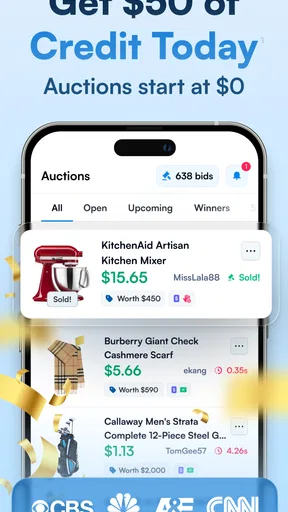
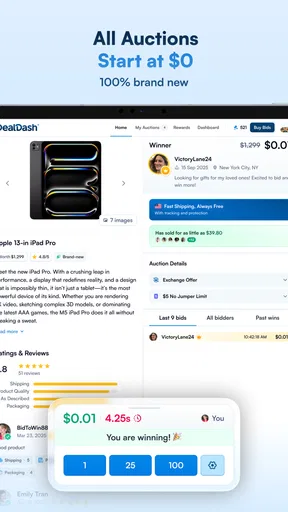
The auctions themselves are a mix of excitement and suspense. As I browsed through the categories, ranging from electronics to home goods, I could feel the adrenaline. Each auction starts at $0 and increases by one cent every time a bid is placed. The auction clock resets with each bid, adding a layer of strategy as you try to outlast your competitors.
Winning and "Buy It Now" Feature
Winning an auction is exhilarating, and you can snag items at a fraction of their retail price. However, if you don’t win, DealDash’s "Buy It Now" feature is a lifesaver. You can purchase the item at retail price and get all your bid credits back, which makes losing a bit less painful.
This feature is particularly appealing if you’re eyeing something you really want. It’s a clever way to ensure you’re never walking away empty-handed, even if you didn’t win the auction.
User Experience and Community
What sets DealDash apart is its community vibe. There’s a social aspect to the app that makes it more than just a bidding platform. Users can engage with each other, and the app even offers support through tutorials and tips to help you become a better bidder.
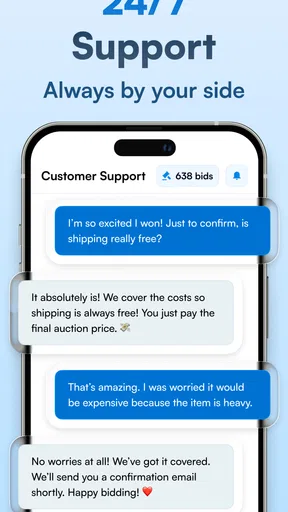
I found the customer support to be quite responsive, which is always a bonus. If you ever find yourself stuck or have questions, they’re just a click away. Plus, the app frequently updates with new features and items, keeping the experience fresh and engaging.
Final Thoughts
Overall, DealDash is a fun and thrilling way to get your hands on some great products. It combines the excitement of an auction with the comfort of online shopping. Whether you’re a seasoned bidder or a newbie looking for some excitement, DealDash offers a platform that’s both exciting and user-friendly.
If you’re looking to test your luck and strategy skills, give DealDash a whirl. It’s an app that turns shopping into a game, and who doesn’t love a good game with the promise of winning big?
Pros
- Easy-to-use interface for beginners.
- Wide variety of products available.
- Unique bidding system adds excitement.
- Free bids available through promotions.
- Real-time bidding updates keep you informed.
Cons
- Shipping fees can add up quickly.
- Items may take time to arrive.
- Bidding can become addictive.
- Limited stock for popular items.
- Winning isn't guaranteed
- even after bidding.
FAQs for DealDash - Bid & Save Auctions
What is DealDash, and how does it work?
DealDash is an online auction platform where users can bid on various products at discounted prices. Each bid costs a small fee, and the auction timer resets every time a bid is placed. The last person to bid when the timer runs out wins the auction, often securing the item at a fraction of its retail price.
Are there any costs associated with using DealDash?
Yes, while browsing the auctions is free, placing bids costs money. Users must purchase bid packs to participate in auctions. Each bid has a cost, so it's important to consider this when deciding how many bids to place on an item to avoid overspending.
How can I ensure a successful bidding strategy on DealDash?
Success on DealDash requires a good strategy. It’s crucial to understand the auction dynamics, monitor competitors, and decide when to place bids strategically. Consider setting a budget and sticking to it, and familiarize yourself with the items prior to bidding to avoid impulse decisions.
What happens if I don’t win an auction?
If you don’t win, you lose the bids you placed. However, DealDash offers a "Buy It Now" option, allowing you to purchase the item at its retail price and have your used bids returned. This feature is helpful to recoup bids and ensures you can still obtain the desired product.
Is DealDash safe and legitimate to use?
Yes, DealDash is a legitimate auction platform with a secure environment for bidding. However, as with any online platform, users should be cautious and informed. Read reviews, understand the bidding process, and ensure you're aware of how the costs work to avoid unexpected expenses.


